
Important information about Windows 11
A new Windows experience that brings you closer to the people and things that matter to you.
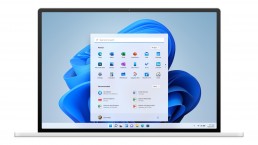
Release
Microsoft Windows 11 will be the successor to Windows 10 and was announced by Microsoft product manager Panos Panay on 24 June 2021. According to the June 2021 announcement, the new operating system will be released at the end of 2021 What is the difference between Windows 10 and Windows 11? Windows 11 offers all the power and security of Windows 10 with a redesigned and updated look. It also includes new tools, sounds and apps. Every detail is taken care of. It all adds up to a refreshing experience on your PC. When can I buy a PC with Windows 11 pre-installed? PCs with Windows 11 pre-installed will be available later this year. How much does a PC with Windows 11 cost? It depends. Many different manufacturing companies will offer a variety of devices running Windows 11, all at different price points. Where can I buy a PC with Windows 11? PCs pre-installed with Windows 11 will be available from a variety of retailers later this year. Details will follow.
Will my accessories work with Windows 11? If your accessory runs on Windows 10 and meets Windows 11 requirements, it should run on Windows 11. If you want to be sure, please contact the manufacturer of your accessory. I want to buy a PC now. Can I install Windows 11 later? Most Windows 10 PCs currently sold can be upgraded to Windows 11. In order for the PC to be upgraded to Windows 11, it must meet the minimum hardware requirements and some features require specialised hardware. The timeline for the rollout of the update is being finalised and is expected to begin in late 2021 and continue through 2022. The specific time frame varies depending on the device. How do I know if a new Windows 10 PC meets the minimum requirements? There are a few ways to find out. If you’re in the process of buying a new PC, look for the „Free Upgrade to Windows 11“ notice on the fact label. You can also ask your dealer for confirmation. When can I upgrade to Windows 11 on my Windows 10 device? If your existing Windows 10 PC is running the latest version of Windows 10 and meets the minimum hardware requirements, you can upgrade to Windows 11. The release schedule for the upgrade is still being determined, but for most devices already in use today, it is expected to be ready in early 2022. Not all Windows 10 PCs that are eligible for an upgrade to Windows 11 can be upgraded at the same time. To determine if your PC is eligible for an upgrade, download and run the PC Integrity Check app. Once the update rollout has started, you can check if the update is ready for your device under Settings > Windows Update. What if my PC does not meet the minimum hardware specifications? Can I stay with Windows 10? Yes. Windows 10 continues to be a great version of Windows. We are committed to supporting Windows 10 until 14 October 2025.
How do I know when the upgrade is available for my Windows 10 PC? Updates for Windows 11 will begin in late 2021 and continue through 2022. During this time, we will be doing some behind-the-scenes testing and validation for your specific PC. Windows Update will indicate if and when your PC is eligible. You can check this by going to „Settings“ > „Windows Update“. How much does it cost to upgrade from Windows 10 to Windows 11? It is free of charge. However, only Windows 10 PCs that are running the latest version of Windows 10 and meet the minimum hardware requirements can be updated. You can check whether you have the latest updates for Windows 10 under „Settings“ > „Windows Update“. What is the difference between upgrade and update? An update can consist of bug fixes, security fixes and new features in a version of Windows. Updates are usually made during the course of the year. An upgrade takes place when you change versions, for example from Windows 10 to Windows 11 or editions from Windows Home to Windows Pro. How long is the free upgrade available? The free upgrade offer has no specific end date for eligible systems. However, Microsoft reserves the right to end support for the free offer. This end date will be no earlier than one year after general availability. Can I continue to use Windows 10? Yes. There is no need to upgrade to Windows 11. We will continue to support Windows 10 until 14 October 2025.
Does Windows 11 take up more space on my PC than Windows 10? Windows 11 and Windows 10 require approximately the same amount of storage space. However, additional storage space is required during the upgrade process. Windows deletes this extra space about 10 days after the upgrade is complete. Is Windows 11 a replacement for Windows 10? Windows 11 is the latest version of Windows. However, we will continue to support Windows 10 until October 2025. What happens to my files when I upgrade to Windows 11? By default, all your files and data will be transferred. However, we recommend that you make a backup copy of your files before installation. Can I go back to Windows 10 after the upgrade if I don’t like Windows 11? Yes. After installing the Windows 11 update, there is a 10-day period during which you can revert back to Windows 10, keeping the files and data you brought with you. At the end of the 10 days, you will need to back up your data and perform a „reinstall“ to return to Windows 10. How long does it take to install Windows 11? Downloading and installing Windows 11 will most likely take longer than a typical Windows 10 feature update. You can use your PC while downloading Windows 11 and then have the option to schedule the installation to take place at a time when you do not want to use your PC. Can I upgrade my Windows 10 PC to Windows 11 when I run S Mode? If your PC meets the minimum hardware specifications, Windows 10 Home Edition in S mode can be upgraded to Windows 11 Home Edition in S mode. If your Windows 10 PC is running Pro Edition in S mode, you must exit S mode to upgrade to Windows 11 Pro. Windows 11 Pro Edition is not available in S mode. Can a really old PC run Windows 11? You can use the PC Integrity Check application to determine if your machine is ready to upgrade to Windows 11. Many PCs that are less than four years old can be upgraded to Windows 11. They must be running the latest version of Windows 10 and meet the minimum hardware requirements.
Important note
Windows 10 and Windows 11 will continue to run in parallel. Windows 10 will be supported until October 2025. This is probably also because Windows 11 increases the hardware requirements. If your system is not suitable for Windows 11, you still have a few years. Even if you don’t like the look of Windows 11, you can just stick with Windows 10. It’s still unclear whether Microsoft will continue to release two feature updates a year for Windows 10. Either way, Windows 10 21H2 should be available in autumn, and of course there will be a security update every day.


Microsoft Project: 10 steps to a successful project plan
Microsoft Project: 10 steps to a successful project plan
Some projects are so complex that you can’t just shake all the individual tasks and phases out of your hand. In order not to lose the overview, a well-structured project plan helps and Microsoft Project. It helps all those involved to plan and complete individual work steps precisely and to stick to a timetable.
For whom a project plan is important
Both Microsoft Project 2016 and Microsoft Project 2019 are important for all project staff involved. This is because the programme brings a clear structure to all the small, sometimes highly branched activities that are necessary to successful complete a project. Another advantage: everyone can see where the project is and where it should be according to the project plan. But clients also wonder when the project will start, how long it will take and how much the whole thing will cost in the end.
How to easily create a project plan with Microsoft Project
Microsoft Project 2016 and the more recent Microsoft Project 2019 make it possible to create a project plan that meets all requirements in just a few steps.

The individual steps involved:
Define project start
Once the software is open, you set the start date via the „Project“ tab with the „Project Information“ command. This date is the default for all further steps, but it can always be changed later.
Create tasks
The individual tasks of the project can then be precisely defined using task names. Here it is important to consider the priority of the individual steps.
Structure contents
By indenting the tasks, you can structure the project content more clearly. This further subdivides the content logically.
Set duration and milestones
The working days that you spend on the project are defined in the project calendar. Here you should work with consecutive days, free days are marked with the abbreviation „f“ in front of the unit „T“ (for day). If intermediate goals, so-called milestones, are to be determined, the programme indicates their duration with „0“ in the unit days.
Show dependencies
Microsoft Project shows the dependencies of certain intermediate goals on upstream activities through task links. They make it possible to display logical relationships in terms of content, the sequence of which does not necessarily have to be chronologically structured. The relationship to the beginning and end (abbreviation: EA) is the standard link in Microsoft Project. In addition, there are other types of relationships that can be linked.

Plan workload
In the next step, the project manager enters the expected or planned workload in hours in the column „Work“. Employees who are involved in the project will later find the note „planned“ in the feedback screen.
Allocate resources
In the local resource pool, one now creates the labour, cost, employee or also material resources under „Resource: Table“. These resources can be assigned to individual employees, team leaders or cost centres.
Fix deadlines
In order to be able to set time limits for tasks and, above all, for intermediate goals, it is possible to define constraints on the one hand and deadlines on the other with Microsoft Project. Constraints are fixed and cannot be moved if, for example, time changes occur. Deadlines, on the other hand, are flexible.
Show project summary
Via the „Project“ tab you can view the project collection process in Microsoft Project. This brings together all the values at project level and quickly shows what duration has been set, how the total effort is planned or even who is involved in the project.
Set baseline
At the end of the planning phase, you have to determine the actual data. This is saved in a base plan. With the command „Set base plan“ in the „Project“ tab, the corresponding data is saved with the current creation date. The base plan can also be used to check which changes have been made to the project plan in the course of time due to feedback or similar.
Header image: © monticellllo, stock.adobe.com
Windows 10 Key: Mail from the public prosecutor's office because of illegal licences
Windows 10 Key: Mail from the public prosecutor's office because of illegal licences
Well, have you looked in the letterbox today? It’s possible that you’ll find a letter in there whose sender will make your blood pressure soar. It could be a summons from the public prosecutor. And if, when reading the contents, you remember that you bought a „super-cheap“ Windows 10 key at an „absolute bargain price“ at some point in the past, it might put you in a worse mood. The question is: Was everything legal at the time of purchase – or was it illegal? Windows Key illegal? And above all: What are the bona fide buyers facing now?
The subpoena is about the Windows key
In the past few years, Windows Keys were repeatedly offered on well-known sales and auction platforms, some of which were considerably below the normal sales price Buyers of such cheap Windows 10 licences are now to make statements to the public prosecutor’s office about the facts of the case. This concerns both the version Windows 10 Home as well as Windows 10 Pro.
The question is: Did one commit a criminal offence by purchasing it?
First of all, the subpoena is about clarifying whether the suspicion of „criminal copyright infringement“ or „reckless money laundering“ is justified .
The argument:
Looking at the actual price of a Windows 10 Key (starting at about 145 euros), as offered by Microsoft, everyone should have noticed immediately that something could be wrong and that the Windows Key might be illegal. After all, neither Windows 10 Pro nor Windows 10 Home can be had for a price of just 10 euros. However, the public prosecutor’s office mainly wants to get on the trail of those behind the scenes who are selling Windows 10 keys or Microsoft applications extremely cheaply. If you are affected, you should still contact a lawyer in the event of a summons.

Is my Windows 10 Key illegal?
Yes and no. Because the trade in second-hand software is basically legal in Europe (unlike in the USA, for example) The problem is that quite a few dealers acquire the Windows keys illegally and then resell them on Ebay or Amazon, for example. It is also forbidden to use the keys more than once. The prerequisite for a legal sale, for example of a Windows 10 key, is that the dealer provides certified proof of the origin of the Windows key. Above all, the product key must have been properly deactivated before the sale. If these basics are met, the Windows 10 licence is legal. If not, then it is illegal software.
How to recognise a legally resold Windows 10 Key
Who would have thought that not only Windows, Office and other Microsoft applications can be legally sold? Even OEM or system builder versions of Windows can be resold without any problems as long as they are legal licences. Unfortunately, there are also many black sheep on the marketplaces. These tips help you to recognise whether the seller of the Windows 10 key is a reputable provider – or someone with whom you run the risk of being dragged before the judge:
- The packaging of the boxed Windows or Office licence must be complete, i.e. it must also contain the official product card including the product key.
- The dealer must be able to provide proof of where he himself acquired the used licence keys.
- The Windows key must be activated directly at Microsoft and not via a third-party website
- In addition, the product key may not be activated more than once by different users.
Additional tip: If you are unsure – Microsoft itself offers the product information service to check whether the software is legal. Here, after entering some data, you can quickly see whether you will soon have to expect unpleasant mail from the public prosecutor.
Header image: © monticellllo, stock.adobe.com

Microsoft Office Update 2021: What we already know
Microsoft Office Update 2021: What we already know
Millions of users work with Microsoft’s Office package every day. Excel, Word, Outlook and PowerPoint have become indispensable in both private and business applications. For 2021, the company has a number of innovations in store. In part, these updates are really practical and sensible, especially in the professional sector – but in part they are likely to cause annoyance. Here is everything you need to know about the Microsoft Office You need to know about the update.
This is what the new update brings with it
After the update, there will be two versions when you start the download: one for home use and one for business, but both versions will support both 32-bit and 64-bit.
- Office LTSC (Long Term Servicing Channel) for larger companies and government users.
- Office 2021 for private users and small businesses. Here, support has been shortened from seven to five years. In addition, Outlook, Word, Excel and PowerPoint can now only be used on a PC or Mac.
It is likely that the price of Microsoft Office will rise with the update. Users should expect a price increase of around 10 per cent on individual purchases, according to unconfirmed rumours. As already Microsoft Office 2016 and Microsoft Office 2019 there is no obligation to link the application to the internet after the update. So there is no need to take out a subscription or work via a cloud for the single purchase.

Some innovations in Microsoft Office
- Microsoft has announced new features in both Office 2021 for home users and Office LTSC for the corporate sector:
- Better Accessibility.
- Excel now gets functions like Dynamic Arrays and XLOOKUP
- Multiple apps can be used better thanks to the supported dark mode.
- Standard apps like Word, Excel, Outlook and PowerPoint get performance improvements.
- The new packages come with the Microsoft Teams app. In return, the Skype for Business client is no longer available.
Examples, with which service plus Microsoft binds customers
New Outlook functions:
In future, there will be wording suggestions when creating messages, and a new booking environment for conference rooms will also be available with additional functions. The new drop-down menu in the search area makes searching easier – a click switches between the current folder and the current mailbox. Messages from Outlook can now be shared directly with a person or channel in Microsoft Teams, and a new dictation toolbar, extended voice commands and automatic punctuation make composing messages easier.
Enhancements to the Teams function:
When sharing a PowerPoint file, the speaker view is also possible. With Microsoft Forms, one can start direct polls among the participants of a meeting In the Desktop Client, it is easy to return to the last places visited using the history menu, and depending on the administrator setting, telephone numbers can be masked in future, which leads to more Privacy anonymity.
Word becomes simpler:
Due to the revision of the editor, it is now easy to take over writing and spelling suggestions directly with a click and HEIC pictures from iPhones or iPads can also be inserted without conversion. For new documents, folders can be pinned withthe shortcut Ctrl+S , eliminating tedious searches for the correct location.
Summary of the changes in the Microsoft Office Update
- Microsoft has so far finally confirmed the following editions Office 2021 Standard and Office 2021 Professional Plus.
- These will come with OneNote and Teams delivered
- The packages are available as purchase licences and perpetual licences
- A price increase for Office packages and individual apps or products is to be expected.
- The Office versions are available for Windows and Mac.
- 32- and 64-bit editions are still available
Header image: © chrupka, stock.adobe.com

Windows 10 Update: What can the new version do?
Windows 10 Update: What can the new version do?
And again there’s a new Windows 10 Update … You could almost get the impression that Microsoft sends a release to users every month. You can get confused and ask yourself: If I buy a new Windows 10, for example for my home office, what will the latest release do for me? Don’t worry – we’ll shed some light on this!
New Windows version, old Windows version - which one is installed?
Windows 11 is not on the horizon. Instead, regular updates will be made available to anyone who wants to buy Windows 10. The current release is called the October 2020 Update – or officially: 20H2 – and at first glance is „just“ a maintenance patch. The already announced „Windows 10 21H1“ will probably also be an update that mainly focuses on the maintenance service, while substantial innovations can probably be expected again in autumn with „Windows 10 21H2“. In order to take advantage of the update, one does not have to immediately install a new Buy Windows 10. Those who use the current 2004 version or the 1909 update of Windows 10, for example, for their Office software home office without any problems is on the safe side. Update problems such as a processor that is too slow, insufficient memory or too little RAM do not arise. The concern that the driver signatures may no longer work is also unfounded. To find out which Windows 10 version is installed, the following steps will help:
- About the Start button to open the Start menu.
- At "Settings" select the last item "Info" click on it.
- Now all the information about the Windows 10 version appears.
Download Windows 10 Update - nothing easier than that!
Of course, it’s much more convenient to download the latest update than to keep buying a new version of Windows 10. And even non-professionals can do this in no time at all. However, the prerequisite is that the PC is prepared for the new update The most important element for this is that the computer is already updated to the May 2020 update. otherwise, 20H2 will be completely reinstalled as an operating system – and this can lead to annoying update problems, in the worst case even to a total system failure. Once the computer is ready for the release, everything usually runs smoothly:
- Click on "Settings" in the start menu
- "Select "Update and security
- "Click on "Check for updates
- Select the optional update "Functional update for Windows 10, version 20H2"
- Click on "Download and install"
- Restart the PC to activate.
Attention Older Windows versions perform a complete upgrade of the system for installation. The whole process will therefore take much longer!

New update - new features!
The 20H2 update offers new ways to customise your PC, increases security and holds some creative features Some interesting features are: Colour mode: under „Colours“ in the settings you can choose between light and dark mode. This makes it easier to work on the screen and is easier on the eyes. Tabs: Those who always open many tabs for websites will love this feature! Simply pin the most frequently used page to the taskbar, and by swiping the mouse you can then see and click on open tabs in the preview at a glance. Read aloud function: Use the screen magnifier to mark a section of text and select „Read aloud from here“. The text is then read aloud. Emoji keys: The key combination Windows + dot (.) is not only interesting for Facebook and Co. It opens the emoji area directly and makes posts, subject lines or email greetings look much friendlier. Cursor: Practical when reading, writing or correcting longer texts. Go to „Ease of use“ in the settings and click on „Text cursor“. The stroke is then coloured, making it easier to find.
Header image: © Tierney, stock.adobe.com

This is what Windows should look like in the future
Windows 10: Plans new design for 2021
Five years after the first release, Microsoft wants to implement new ideas in Windows 10. First reports indicate that users will have to change in many areas. What does Microsoft have in mind? Microsoft is working on a new design for Windows 10. What the update will mean for users is not clear in detail according to initial reports, but the direction is clear. The operating system is to receive a completely new look in 2021, in which, among other things, the Start menu will be refreshed. The new design is not expected to be released until the end of 2021.
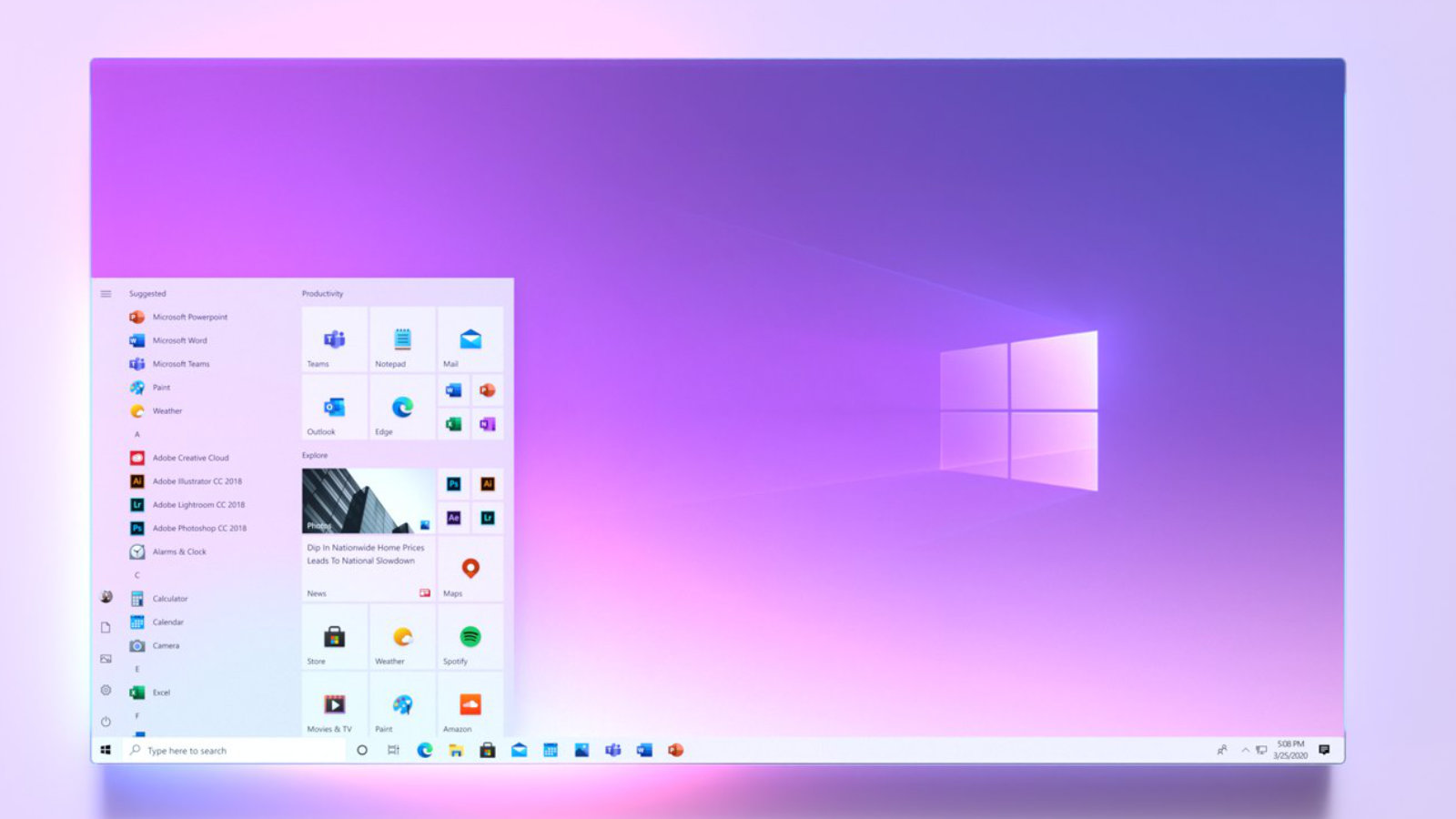
There is to be a new look in the following areas:
Start menu:
Only with the Windows 10October Update was the appearance of the Start menu adjusted, but that was not it yet. Apparently Microsoft is working on the effects used.
Taskbar:
Allegedly, the code of the taskbar will be changed more extensively, but the details are not yet clear. Of course, fans are already dreaming of features such as a centred start button like in Windows 10X or a transparent taskbar, all of which you still have to set yourself with additional tools.
Explorer
Explorer has not had any new features for a long time, so the interface could certainly be improved. The direction is clear: users should no longer be overwhelmed with options.

Windows 10 version 20H2 now available
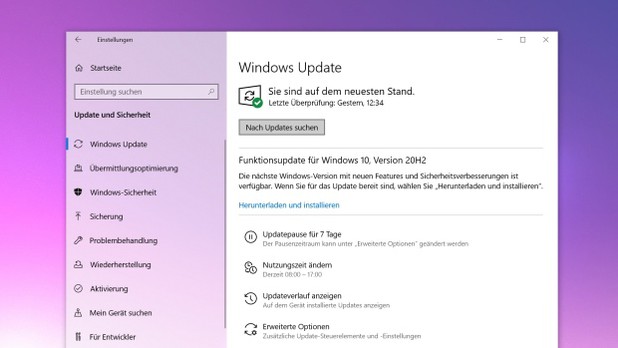
Windows 10version 20H2 is now available. The innovations are manageable. First and foremost, the new Edge browser based on Chromium is now included. In addition, there have been some detailed changes in the appearance. Windows 10 20H2 is still not showing up for many users via Windows Update, but the current Media Creation Tool is already loading the Windows 10October Update. If you want it immediately, you will have to become active yourself.
Windows Update
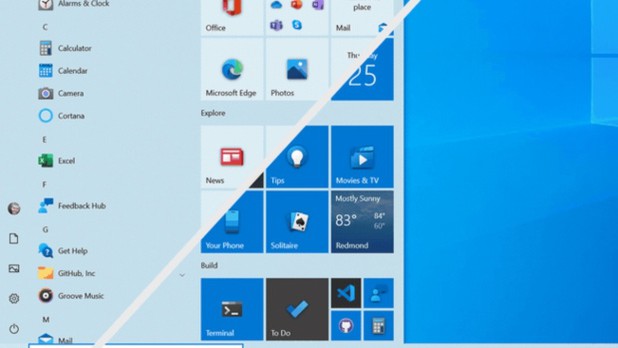
 With "Meet Now", users will be able to start video chats without having to download any software. Technically, this is done via Skype, but those who do not have the software installed can also conduct video chats directly via the Edge browser. During installation, Windows will in future ask for the purpose for which the PC is being used, so that the appropriate services for gaming or office computers can then be activated. The new Start menu for Windows 10 is not a completely new start, but a clever update. The trick is that the new start menu fits more harmoniously into the selected theme. For comparison, we show you the current Windows Start menu (bottom right) next to the new design (top left). Due to the dominant colour areas on the tiles, it looks very restless and the icons do not really come into their own.
Start Menu Comparison
 Also practical: 2-in-1 devices now automatically switch to tablet mode when the keyboard is removed, instead of asking the user to do so.In future, Alt + Tab can be used not only to switch between open programmes, but also through tabs in the browser, whereby all open tabs are also clearly displayed. An overview of the new features can be found in the video below.
Windows 10 Update Video
https://youtu.be/bD0jywkYCOI

Remote Desktop Services: Home office in the age of Corona
Remote Desktop Services: Home office in times of Corona
Home office on the rise
„, said Reimann, who praised the concept of mobile working and appealed to „continue to use the good experiences of the last few months with mobile working“. More personal responsibility and the trust of the employer puts some employees in a good mood and increases productivity. Many can also better plan their daily lives with their families and enjoy more flexible working hours and short commutes.

Cons
on the rise. Especially in mobile working, however, the working conditions are often not ideal: smaller screens, poor lighting, awkward sitting positions, etc. are too often the order of the day. Every third person who spends more time in front of monitors even says that his or her vision felt worse during corona time. While hardly any companies themselves have suffered serious productivity losses as a result of mobile working, says Michael Karrenberg, regional director of risk services at Altradius. „However, due to the increase in mobile working, business activities will shift in location.“ This, he says, is leading to increasing uncertainties, especially in those industries whose sales depend on the numerous commuters to the cities and office workers.
Remote Desktop Services - Access from outside
, even including new features, there is no reason for companies to worry in this area.

Beware of hackers
to ward off access attempts such as a brute force attack. Furthermore, it becomes more difficult to keep track that all devices and software have been provided with all updates. Security solutions that protect against RDP attacks are therefore becoming indispensable for companies to protect themselves, their data and their employees against cyber-crime. What is particularly critical is that vulnerabilities in RDP are often unknown and only become public after they have been exploited.
Can the classic office still be saved?
, looking to the future.

Work more productively in the office - with next generation speech recognition
Work more productively in the office - with next generation speech recognition
Faster and more accurate than ever Nuance Dragon Professional Individual 15
With its next-generation speech recognition engine, Dragon Professional Individual 15 expands the possibilities of speech recognition. Dragon recognises dictations extremely accurately and uses deep learning and an adaptation technique to continuously adjust to your voice and changing environmental conditions – even during dictation.
- Up to 99% accuracy
- A new engine ensures optimal recognition even of speakers with accents or in background noise (open-plan office).
- Highest recognition accuracy from the start, no speech training required.
- Personalised, voice-controlled user experience
- Highest recognition accuracy right from the start, no speech training required
- Personalised to you: Dragon remembers words and phrases you use frequently
- Even better recognition accuracy with optional additional training or analysis of existing documents and emails.
- Fast response times
- Speak at normal speed. Your words are immediately displayed on the screen.
- You see the dictation immediately and can review it instantly.
- No idea is lost any more, Dragon captures your ideas and thoughts instantly, as fast as you speak.
Speak instead of typing, wherever the keyboard is normally used Nuance Dragon Professional Individual 15
Create user-defined terms and vocabularies
Use self-created voice commands for frequently used expressions and graphics
Convert audio recordings into text Nuance Dragon Professional Individual 15
Synchronisation with the separate Dragon Anywhere mobile app
Can also be used on touch devices
Comfortable voice-controlled PC operation and control
Launch applications, select menu items, press keys, switch between windows, surf the web, compose and send emails and much more – all by speaking. Dragon Professional Individual gives you maximum flexibility:
- You really can operate it completely hands-free.
- Experience a particularly ergonomic and comfortable way of working at the computer.
- Protect your body through less strain and stress.
- Use your voice to dictate and execute commands.
Easy proofreading with natural sounding speech synthesis or audio playback
Wide range of microphone options for even more freedom and flexibility Nuance Dragon Professional Individual 15
Connected microphones are automatically recognised by Dragon Professional Individual and displayed in a convenient selection list. With Dragon it is even possible to use different types of audio devices in one and the same user profile. This means you can use your personal settings for recognition accuracy and formatting with different microphones. This can be a USB microphone at home, a wireless microphone in the office and the built-in laptop microphone on the road. The following options are supported:
- Microphones built into newer laptops: you can dictate documents and voice commands directly into your laptop without an additional headset.
- Wireless Bluetooth microphone: Use a Nuance-certified Bluetooth headset microphone that also provides premium wireless performance and maximum freedom of movement when dictating.
- Other Nuance certified microphones: For more information, visit support.nuance.com/compatibility.
Break down barriers and work ergonomically Nuance Dragon Professional Individual 15
Easy to get started, easy to use Nuance Dragon Professional Individual 15
Nuance Dragon Professional Individual 15 makes it easy to get started with speech recognition and enables efficient and productive use in no time at all. This also applies to familiarisation with the advanced functions, which increase your productivity even further. Nuance Dragon Professional Individual 15 makes it easy to unlock your productivity potential and get the most out of the software very quickly. It gives you tips and points out particularly practical functions. The benefits of Dragon:
- Helpful tutorials ensure maximum efficiency right from the start.
- An intuitive design allows easy access to the full range of functions and provides a noticeable increase in productivity.
- Dragon gives you context-driven instructions based on how you use the software. This allows you to really get the most out of Dragon and work more efficiently than ever before.
Here you can buy the full version as a download or box variant: Nuance Dragon Professional v15 Nuance Dragon Home 15 Nuance Dragon NaturallySpeaking 13
Header image: © WrightStudio, stock.adobe.com

What's new in MindManager 2020 for Windows?
What's new in MindManager 2020 for Windows?
In a time when the flood of information is increasing rather than decreasing, „CONNECTION“ is the key to success. Connecting people. Connecting data. Connecting platforms. Distributed knowledge must be brought together in a single source of truth and a clear plan. MindManager 2020 for Windows helps you quickly reach your goal by connecting all the things that matter to your work – wherever they are and wherever you are. With MindManager 2020 you are able to:
- Connect People – connecting people and strengthening teamwork through new ways of collaborating
- ConnectData – linking data together and controlling it even better with advanced integrations
- ConnectPlatforms – connect platforms through new display and capture capabilities
Work faster, work better, work connected – with MindManager 2020 for Windows
#WorkConnected Work faster. Work better. Work connected. – Work faster. Work better. Work connected.
- Connect people: with new co-editing features and enterprise content control
- Connect platforms: with new mobile viewer apps and capture tools
- Connect data: with new Excel integrations and advanced project management features
- And much more!

33 words: MindManager 2020 helps you achieve your goal by connecting all the things that matter to your work – wherever they are and wherever you are. 65 words: In an age of information overload, networking is the key to success. Connecting people. Connecting data. Connecting platforms. Distributed knowledge must be brought together in a „single source of truth“ and a clear action plan. MindManager 2020 helps you achieve your goal by connecting all the things that matter to your work – wherever they are and wherever you are. 155 words: In an age of information overload, networking is the key to success. Connecting people. Connecting data. Connecting platforms. Distributed knowledge must be brought together in a single source of truth and a clear action plan. MindManager 2020 helps you achieve your goal by connecting all the things that matter to your work – wherever they are and wherever you are. Streamline communication and encourage teamwork thanks to new co-editing capabilities for real-time collaborative editing. Control and adjust mission-critical data like never before with new Excel integrations. Master key aspects of project management with new cost planning and Gantt charting tools Access the content you need, when you need it with new mobile viewer apps, capture tools and improved file hosting integrations. Use improved flowchart tools, even smarter Smart Shapes, enhanced mapping tools and more to create visualisations that inform and inspire at the drop of a hat.
NEW tools and features in MindManager 2020 for Windows include:
Co-Editing (Joint Editing)
- Invite colleagues from different departments, offices and time zones to collaborate on maps in real time.
- Actively collaborate with others on MindManager maps in a secure cloud-based session.
- Enable dynamic planning meetings, knowledge sharing, brainstorming and more in MindManager’s flexible virtual environment.
- Invited participants do not need a MindManager licence to participate in a co-editing session
Available as an add-on service for Single and Enterprise clients.
MindManager Snap Capture Tool (capture tool)
Capture content for your maps in seconds, even if you don’t have access to MindManager right now.
- Capture images, links and text notes anytime, anywhere from your desktop, Chrome browser or mobile device
- Enhance, enrich and improve your maps in new ways
- Content captured with Snap is kept safe and secure in a cloud-based queue until you can add it to your map
MindManager Snap Chrome extension is available in the Chrome Web Store.
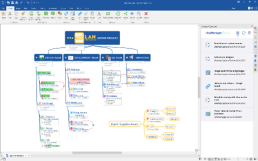
To capture via mobile devices you need the MindManager Go Mobile App
MindManager Go mobile viewer app
With our completely redesigned MindManager Go Viewer mobile app, you can review, present and discuss content for your maps anywhere, anytime.
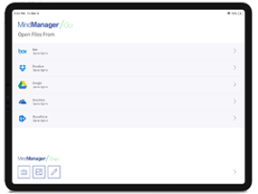
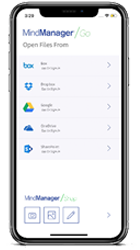
- MindManager maps can be viewed and navigated on Android or iOS devices
- Maps can be filtered by tags, icons, priority and progress so you can focus on the information you need
- Images and text annotations can be sent to your MindManager desktop app with the new MindManager Snap Capture tool
Excel Data Mapper
New data mapper tool lets you quickly and accurately categorise, understand and analyse Excel data imported intoMindManager Maps
- Create a map view of Excel spreadsheets that shows only the data you need – the way you want it
- Select the file, data range and row layout. Specify how row and column information is mapped to map structure, branch properties, calculations and more.
Excel export
Create an engaging, accurate and immediately understandable spreadsheetbased on the map content
- Easily customise the structure, outline, style, etc. of the spreadsheet when exporting content from MindManager Maps to Excel
- Add icons, tags, task information, properties and more, and control content order, table layout and formatting
Cost calculation
Gain instant visibility of one of the most critical project elements.
- Define and show general costs in your project maps
- Filter your maps by cost information to customise them for budget discussions
- Manage exceptions and make sure you stay within budget by creating SmartRules that signal when costs exceed certain amounts
- MindManager Enterprise users can track general as well as resource* costs in their project maps
Enterprise Content Control
Editing control allows MindManager Enterprise customers to share responsibility for updating project and planning maps, while retaining control over which elements are allowed to be changed.
- Protect sensitive map content from unwanted changes and accidental errors
- Control which map elements can be updated by other MindManager users
- The map owner can grant full editing rights to selected users.
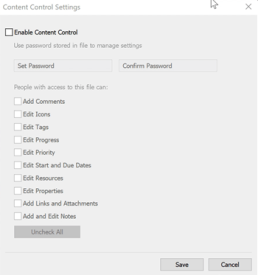
Exclusively available in MindManagerEnterprise
OPTIMISED – Gantt
Work even better with Gantt charts.
- Open Gantt charts in a separate window for better clarity and easier updating
- Track general project costs in the Gantt view
- Both grid and Gantt chart can be displayed and printed horizontally on one page
- MindManager Enterprise customers can define and view resource costs in addition to general costs
OPTIMISED – Flowchart tools
Our new, optimised flowcharts allow you to quickly create visual process flows that bring shape and clarity to even highly complex processes.
- Add new swimlanes to existing diagrams with one click
- With the new container feature, the relative branch position within a swimlane is maintained when the swimlane is moved, resized or new segments are inserted
- Swimlane segments can now be individually formatted for clear visual differentiation
- Connections can be better positioned and controlled
WorkConnected
Work faster. Work better. Work connected. – Work faster. Work better. Work connected.
- Connect people: with new co-editing functions and enterprise content control
- Connect platforms: with new mobile viewer apps and capture tools
- Connectdata: with new Excel integrations and enhanced project management features
- And much more!
33 words: MindManager 2020 helps you achieve your goal by networking all the things that matter to your work – wherever they are and wherever you are. 65 words: In an age of information overload, networking is the key to success. Connecting people. Connecting data. Connecting platforms. Distributed knowledge must be brought together in a „single source of truth“ and a clear action plan. MindManager 2020 helps you achieve your goal by connecting all the things that matter to your work – wherever they are and wherever you are. 155 words In an age of information overload, networking is the key to success. Connecting people. Connecting data. Connecting platforms. Distributed knowledge must be brought together in a single source of truth and a clear action plan. MindManager 2020 helps you achieve your goal by connecting all the things that matter to your work – wherever they are and wherever you are. Streamline communication and foster teamwork thanks to new co-editing capabilities for real-time collaborative editing. Control and adjust mission-critical data like never before with new Excel integrations. Master key aspects of project management with new cost planning and Gantt charting tools Access the content you need, when you need it with new mobile viewer apps, capture tools and improved file hosting integrations. Use improved flowchart tools, even smarter Smart Shapes, enhanced mapping tools and more to create visualisations that inform and inspire at the drop of a hat.
NEW tools and features in MindManager 2020 for Windows include:
Co-Editing (Joint Editing) Invite colleagues from different departments, offices and time zones to edit maps together in real time.
- Actively collaborate with others on MindManager maps in a secure cloud-based session.
- Enable dynamic planning meetings, knowledge sharing, brainstorming and more in MindManager’s flexible virtual environment.
- Invited participants do not need a MindManager licence to join a co-editing session
Available as an add-on service for Single and Enterprise customers.
MindManager Snap Capture Tool (Capture Tool) Capture content for your maps in seconds, even when you don’t have access to MindManager.
- Capture images, links and text notes anytime, anywhere via your desktop, Chrome browser or mobile device
- Extend, enrich and enhance your maps in new ways
- Content captured with Snap is kept safe and secure in a cloud-based queue until you can add it to your map
MindManager Snap Chrome extension is available in the Chrome Web Store. To capture via mobile devices, you need the MindManager Go Mobile App
MindManager Go Mobile Viewer App With our completely redesigned MindManager Go Viewermobile app, you can review, present and discuss content for your maps anywhere, anytime.
- MindManager maps can be viewed and navigated on Android or iOS devices
- Maps can be filtered by tags, icons, priority and progress so you can focus on the information you need
- Images and text annotations can be sent to your MindManager desktop app using the new MindManager Snap Capture tool
Available for download from the Google Play Store and Apple App Store
Excel Data-Mapper The new data mapper tool lets you quickly and accurately categorise, understand and analyse Excel dataimported into MindManager Maps
- Create a map view of Excel spreadsheets that shows only the data you need – the way you want it
- Select the file, data range and row layout. Determine how row and column information is mapped to map structure, branch properties, calculations and more.
Excel Export Generate an attractive, accurate and immediately understandable spreadsheetbased on the map content
- Easily customise the structure, outline, style, etc. of the spreadsheet when exporting content from MindManager Maps to Excel
- Add icons, tags, task information, properties and more, and control content order, table layout and formatting
Cost calculation Gain instant visibility of one of the most critical project elements.
- Define and display common costs in your project maps
- Filter your maps by cost information to customise them for budget discussions
- Manage exceptions and ensure budgets are met by creating SmartRules that signal when costs exceed certain amounts
- MindManager Enterprise users can track general and resource* costs in their project maps
Editing Control (Enterprise Content Control) Editing control allows MindManager Enterprise customers to share responsibility for updating project and planning maps, while retaining control over which elements may be modified.
- Protect sensitive map content from unwanted changes and accidental errors
- Control which map elements can be updated by other MindManager users
- The map owner can grant full editing rights to selected users.
Exclusive to MindManager Enterprise
OPTIMISED – Gantt Work even better with Gantt charts.
- Open Gantt charts in a separate window for better clarity and easier updating
- Track general project costs in the Gantt view
- Both grid and Gantt chart can be displayed and printed horizontally on one page
- MindManager Enterprise customers can define and view resource costs in addition to general costs
OPTIMISED – Flowchart Tools Our new, optimised flowcharts allow you to quickly createvisual process flows that bring shape and clarity to even highly complex processes.
- New swimlanes can be added to existing diagrams with one click
- New container feature maintains the relative branch position within a swimlane when the swimlane is moved, resized or new segments are added
- Swimlane segments can now be individually formatted for clear visual differentiation
- Connections can be better positioned and controlled
With the new Image Thumbnails you can optimise the placement and presentation of images in maps and presentation of images in maps
With the new function for quickly adding symbol and tag groups in the index and tag groups in the index, Symbol and Tag views, quickly categorise content and assign meaning
Thanks to the improvement of the Drag & Drop-Function, you can organise and update branches more quickly and intuitively
Thanks to the improved control of connecting lines, you can Connection lines, you can define connections clearly and precisely
The advanced SmartRules allow you even more automations and accelerations
Header image: © alphaspirit, stock.adobe.com