
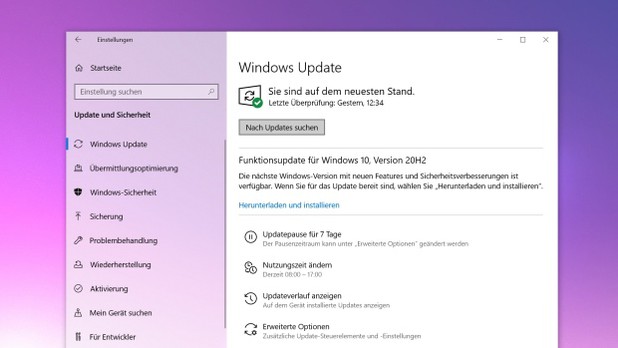
Windows 10version 20H2 is now available. The innovations are manageable. First and foremost, the new Edge browser based on Chromium is now included. In addition, there have been some detailed changes in the appearance. Windows 10 20H2 is still not showing up for many users via Windows Update, but the current Media Creation Tool is already loading the Windows 10October Update. If you want it immediately, you will have to become active yourself.
Windows Update
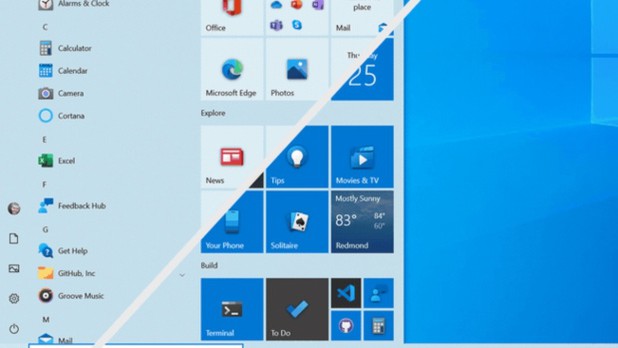
 With „Meet Now“, users will be able to start video chats without having to download any software. Technically, this is done via Skype, but those who do not have the software installed can also conduct video chats directly via the Edge browser. During installation, Windows will in future ask for the purpose for which the PC is being used, so that the appropriate services for gaming or office computers can then be activated. The new Start menu for Windows 10 is not a completely new start, but a clever update. The trick is that the new start menu fits more harmoniously into the selected theme. For comparison, we show you the current Windows Start menu (bottom right) next to the new design (top left). Due to the dominant colour areas on the tiles, it looks very restless and the icons do not really come into their own.
Start Menu Comparison
 Also practical: 2-in-1 devices now automatically switch to tablet mode when the keyboard is removed, instead of asking the user to do so.In future, Alt + Tab can be used not only to switch between open programmes, but also through tabs in the browser, whereby all open tabs are also clearly displayed. An overview of the new features can be found in the video below.